

Learn how to clean and maintain your motorcycle or motocross graphics kit: pressure washer, washing, matte finish, holographic, and tips to prevent peeling.
How to Wash and Maintain a Motorcycle Graphics Kit to Make It Last?
A motorcycle graphics kit is designed to withstand demanding conditions: mud, dust, splashes, friction, repeated washings, and temperature variations.
But even with high-quality vinyl and lamination, how the kit is cleaned and maintained plays a key role in its longevity and appearance over time.
At KUTVEK, we manufacture graphics kits for motocross, enduro, street bikes, trails, ATVs, SSVs, and many other vehicles. Here are the best practices to keep your graphics looking great for as long as possible.
Can You Wash a Motorcycle Right After Applying a Graphics Kit?
It's best not to wash the motorcycle immediately after installation.
Once the kit is applied, the adhesive needs time to properly bond to the plastics or fairings. This initial bonding phase is especially important on edges, corners, and heavily curved areas.
Before even thinking about the first wash, make sure the installation has been completed correctly.
At KUTVEK, we specifically recommend heating and firmly pressing along the entire edge of each piece once the kit is 100% installed.
This step ensures optimal adhesive contact on the most sensitive areas.
If possible, let the motorcycle sit for several hours in a dry, temperate environment before exposing it to water, mud, or intensive washing.
Can You Use a Pressure Washer on a Graphics Kit?
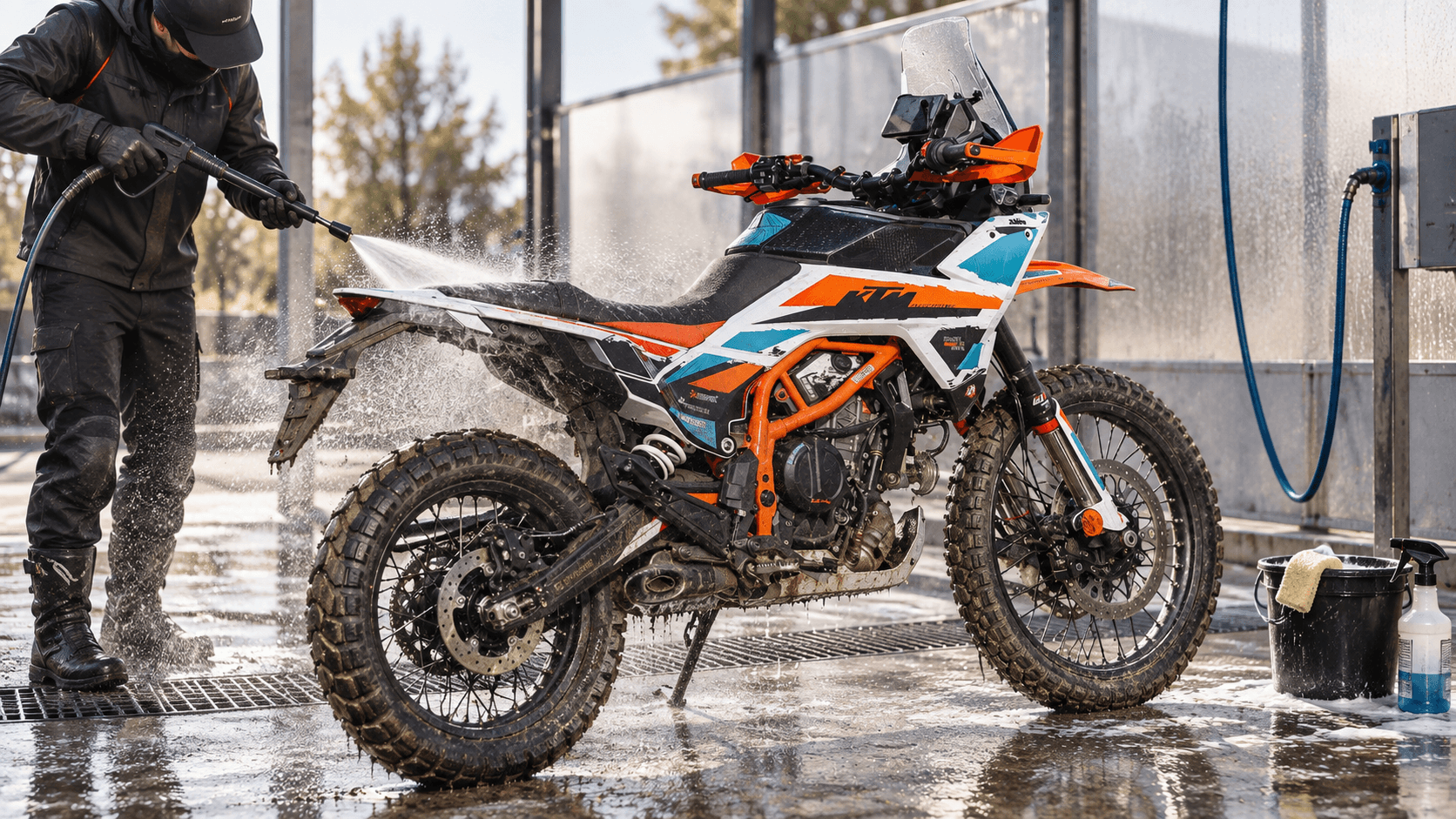
Yes, a graphics kit can be washed with a pressure washer, but you must use the spray correctly.
The main risk isn't the water itself—it's a powerful jet directed straight at the edge of the sticker.
If the nozzle is placed too close to the vinyl and aimed under the sticker, the pressure can force water between the adhesive and the plastic.
The best practice is to maintain a reasonable distance and avoid aiming the spray directly at the edges.
When cleaning around a sticker, try to direct the spray with the direction of the adhesive, not against it.
How to Clean a Motocross Graphics Kit After a Muddy Ride?
After an especially muddy ride, it's tempting to immediately blast the bike with high pressure.
It's better to take a gradual approach.
Start by wetting the bike to soften the dirt and mud. This removes most of the grime without needing to scrub the graphics directly.
Then, use a motorcycle-friendly cleaner and a soft sponge or wash mitt when needed.
Rinse without holding the nozzle too close to the edges of the graphics kit.
The principle is simple: let the cleaner and water loosen the dirt rather than trying to blast it off with pressure.
What Products Should You Use to Clean a Graphics Kit?
For regular maintenance, a mild motorcycle cleaner is usually sufficient.
The goal is to remove mud, grease, and dust without using unnecessarily harsh products.
Be especially cautious with certain products:
- Strong solvents;
- Acetone;
- Gasoline;
- Industrial-strength cleaners;
- Highly concentrated degreasers;
- Abrasive products.
These can damage the vinyl surface, its lamination, or alter the appearance of certain finishes.
If unsure about a product, always test it on a small, inconspicuous area first.
How to Clean a Glossy Graphics Kit?
A glossy finish is generally easy to maintain.
After washing, dry the bike with a clean microfiber cloth to avoid water spots.
Avoid abrasive sponges and overly harsh products, as they can gradually create micro-scratches on the laminate surface.
The cleaner and softer the cloth, the better the result.
How to Clean a Matte Graphics Kit?
A matte graphics kit requires a bit more attention.
The goal is to maintain its uniform appearance without creating shiny spots from excessive rubbing or improper products.
Avoid polishes, waxes, and products designed to add shine.
Opt for gentle washing followed by drying with a clean microfiber cloth.
The same applies to satin finishes.
How to Maintain a Holographic or Chrome Graphics Kit?
Holographic, chrome, and other special-effect films contribute significantly to a graphics kit's premium look.
They require careful maintenance.
Use mild cleaners and avoid abrasive or strong solvent-based products.
After washing, wipe the surface with a clean microfiber cloth without excessive rubbing.
This helps preserve the material's visual effects and light-reflecting properties.
What About Fluorescent Graphics Kits?
Fluorescent films are particularly eye-catching but are also exposed to UV rays and outdoor conditions.
As with other special effects, use gentle cleaning and avoid harsh chemicals.
When the bike isn't in use for long periods, storing it away from direct sunlight helps preserve the materials' appearance longer.
Why Might a Graphics Kit Edge Start Lifting?
An edge may start lifting for several reasons.
It could be due to improper initial plastic preparation, installation in poor conditions, excessive tension on the vinyl, or insufficient post-heating.
Washing can also worsen an already weakened edge if pressure is directed underneath it.
This is why we emphasize one rule in particular:
Once the kit is fully installed, heat and firmly press along the entire edge of each piece.
This step is especially important in corners, recesses, and curved areas.
What to Do If an Edge Starts Slightly Lifting?
Avoid pulling on it.
First, clean and dry the area properly.
If the lifting is very minor and the adhesive is still clean, moderate heating followed by firm finger pressure can sometimes reseat the edge.
If the area is contaminated with dust or mud, or if the lifting is significant, seek advice before using glue or products that could damage the vinyl or plastic.
Should You Use Polish on a Graphics Kit?
It depends on the finish.
On a glossy kit, some compatible products may be used, but always check their compatibility with the vinyl and its lamination.
However, avoid polish on matte or satin finishes, as it may alter their appearance and create shiny patches.
In most cases, regular gentle washing is enough.
How to Extend the Life of a Motocross Graphics Kit?
A kit's lifespan depends heavily on usage.
A motocross bike ridden multiple times a week, washed after every ride, and subjected to boots, knee braces, mud, and debris won't face the same wear as a street bike.
To maximize durability, three factors are key:
proper pre-installation preparation, correct installation, and appropriate maintenance.
Cleaning matters, but the quality of the initial installation is decisive.
This is why post-heating the edges is a critical step.
Areas to Pay Extra Attention To
Some areas naturally endure more wear.
These include the sides of the bike near boots and knees, side panels, areas near the engine, plastic returns, and corners.
During cleaning, take a moment to check these spots.
If an edge starts lifting, it's better to address it early rather than continue washing for weeks until the problem worsens.
Proper Installation Is the Best Protection
Maintenance actually starts during installation.
A kit correctly applied to clean, degreased plastic—without excessive tension and with complete post-heating of all edges—will naturally withstand terrain abuse and repeated washings better.
If you've just received your KUTVEK kit, also check out our guide:
How to Properly Install a KUTVEK Graphics Kit?
It covers all key steps for preparing plastics, positioning stickers, and correctly post-heating.
FAQ – Graphics Kit Care and Washing
Can You Use a Pressure Washer on a Motocross Graphics Kit?
Yes. Just maintain sufficient distance and avoid directing high-pressure spray straight at the sticker edges.
How Long to Wait Before Washing a New Graphics Kit?
Let the kit sit for several hours after installation—ideally overnight—before intensive washing.
Why Heat a Graphics Kit After Installation?
Post-heating with firm pressure on edges improves adhesive contact with plastic, especially on corners and curved surfaces.
How to Clean a Matte Graphics Kit?
Use a mild cleaner and a clean microfiber. Avoid polishes, waxes, and abrasives that could alter the matte finish.
Can You Pressure-Wash a Holographic Graphics Kit?
Yes, with the same precautions as a standard kit: maintain reasonable distance and avoid spraying under vinyl edges.
What to Do If a Sticker Starts Lifting?
Don't pull it. Clean and dry the area. If lifting is minor and clean, moderate heating and pressure may help. If unsure, contact KUTVEK before using glue or chemicals.
What Products Should You Avoid on a Graphics Kit?
Avoid strong solvents, acetone, abrasive products, and aggressive industrial degreasers.